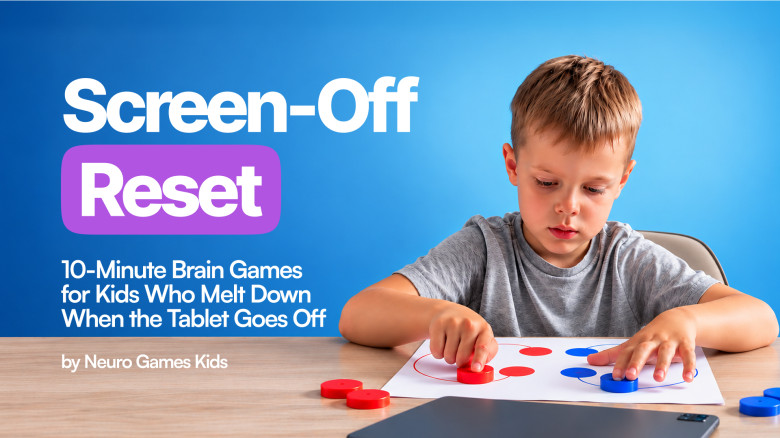
Screen-Off Reset: 10-Minute Brain Games for Kids Who Melt Down When the Tablet Goes Off
Just ONE more episode… then the screaming starts? It’s not bad behavior — and it’s not your fault. Screens reward instant reactions, but real life asks for patience. Screen-Off Reset trains your kid’s brain in just 10 minutes a day — with silly, screen-free games that build patience, focus and self-control. 39 games, new activities every week, and 45,700 families already playing. Start tonight and make the end of screen time calm again!
We guarantee to refund the course purchase price, if the course did not meet your expectations. To request a refund, please email our Support Service at [email protected] within 14 calendar days from the purchase date.
Comments about the course
-
-avatar.jpg)
Within days my 8 y.o daughter was calmer, more focused & actually enjoying her homework. Thank you, Screen-Off Reset 🙏 Now she asks for it every day instead of YoutubeKid or Netflix.
-

My 7 y. old used to melt down during tasks. Now she finishes them with a smile and asks for more activities! Huge shift, and we love the new activities every week 🔥
-

These exercises are quick, fun, and actually work. My daughter’s focus and confidence have skyrocketed. She now asks to do Screen-Off Reset instead of watching YouTube — it’s been amazing ❤️
-

No more battles over screen time! She switched from YouTubeKid to Screen-Off Reset and now asks for it every day. The new activities keep her engaged and excited to learn.
-

My child’s attention span doubled within a week. The fun, new activities are perfect, and I can’t believe the difference 10 min a day made. Thank you, Screen-Off Reset!
-

It’s not just the focus! My Rachel is more regulated, less reactive and finally enjoying learning again. She now asks for her Screen-Off Reset session after school!
-

I was skeptical at first, but Screen-Off Reset has been a miracle for my daughter's confidence. She was always so hesitant to try new things, but the fun, structured dances made her feel capable. Now, she's not only calmer when she's upset, but she's also more willing to step out of her comfort zone in other activities. We're both so much happier.
Course includes
Sound Familiar?
- Every evening, the same scene:
- “Just ONE more episode…” — bargaining for every extra minute
- The timer goes off — and the meltdown starts
- Five minutes without a screen: “I’m BORED!”
- You’ve said it ten times. They didn’t hear you once.
- Dinner only works with a show on
- If this is your house, you’re not alone — and there’s a reason it keeps happening.
You’ve Tried Everything
- Timers and “5 more minutes” warnings
- “Finish the level first”
- Parental controls and app limits
- Taking the tablet away as punishment
They manage the moment. They DON’T change the brain — so tomorrow it starts all over again. Before you take the tablet away again — try this.
Why Turning Off the Screen Turns Into a Meltdown
Too much screen time rewards instant reactions. Every swipe and every new video gives your kid’s brain a quick reward — no waiting, no effort.
Real life asks for the opposite: waiting your turn, listening the first time, shifting gears to the next thing. So when the screen goes off, a brain trained for instant rewards hits a wall.
It’s NOT defiance. It’s NOT bad behavior. It’s a brain that was never trained to shift gears — and that can be trained.
It’s Not Your Fault
Screens got you through the hard days — dinner, a work call, a long drive. If you’ve ever thought “I let this get out of hand” — every parent has been there.
You don’t have to ban screens to fix it. You add 10 minutes of play that trains what screens skip.
How Does It Work?
This isn’t another app or another rule. Screen-Off Reset is brain activation exercises disguised as play — silly, screen-free games your kid will actually ask for.
Here’s how it works:
✅ Step 1: Wake Up the Brain
Movement, colors and visual cues pull attention off the screen and back into the room.
✅ Step 2: Train the Wait
Games where a move only counts after the signal — freeze, follow the pattern, match on cue — build the patience screens skip.
✅ Step 3: Both Hands, Both Sides
Bilateral games like mirror drawing and double-hand moves get both sides of the brain working together.
✅ Step 4: Practice Shifting Gears
Short rounds that change every few minutes teach the brain to move on to the next thing — without a meltdown.
✅ Step 5: Make It a 10-Minute Habit
Same time every day — ideally right when screen time ends.
What Changes
Week 1: fewer “one more episode” negotiations — and you stop repeating yourself ten times
A few weeks in: the screen goes off without the screaming — and you hear “can we play the brain game?” instead
Over time: a calmer kid who can wait, listen and shift gears on their own
Why choose this course?
✅ No Ban Needed
You don’t take screens away — you add 10 minutes of play.
✅ No Prep, No Experience
Simple step-by-step games, no special skills, no pressure to “do it right.”
✅ Kids Actually Ask for It
It looks like a game, not a lesson.
✅ Made for Ages 3–10
39 games and new activities every week.
Start tonight — the first game takes just 10 minutes.
Academic plan
39 video lessons
- Lesson 1. Brain Block Match
- Lesson 2. Brain Spot Game
- Lesson 3. Brain Loop Game
- Lesson 4. Follow the Pattern
- Lesson 5. Zig-Zag Brain Tracer
- Lesson 6. Paper Cup Brain Game
- Lesson 7. Color Hand Sequence Gam
- Lesson 8. Bilateral Puzzle Match
- Lesson 9. Ball Color Match
- Lesson 1. Brain Dot Mirror
- Lesson 2. Brain Line Mirror
- Lesson 3. Bilateral Brain Gym
- Lesson 4. Double-Hand Color Dash
- Lesson 5: Mirror Drawing
- Lesson 6: Dot Puzzle Play
- Lesson 7.Pattern Match
- Lesson 8. Color Matching Challenge
- Lesson 9. Shape Match Challenge
- Lesson 1. Straw Ball Race
- Lesson 2. Spoon & Cup Ball Challenge
- Lesson 3. Ball Drop Challenge
- Lesson 4. Water Balloon Garden Game
- Lesson 5. Memory Wall Challenge
- Lesson 6. Dice Dot Search
- Lesson 7. Pen Precision Practice
- Lesson 8. Sticker Color Catch
- Lesson 9. Soft Ball Color Match
- Lesson 1. Caterpillar Colour Sequence
- Lesson 2. Number Hopscotch
- Lesson 3. Indoor Ladder Game
- Lesson 4. Color Circle Jump
- Lesson 5. Color Match Challenge
- Lesson 6. Floor Pattern Match
- Lesson 7. LEGO Color Match
- Lesson 1. DIY Squishy from a Balloon
- Lesson 2. DIY Bird Puppet
- Lesson 3. Cup & Straw Challenge
- Lesson 4. Bubble Rainbow Experiment
- Lesson 5. Color Logic Game

After payment, you can immediately start practicing
- Click the "Get Access" button, enter your email in the field and you will be taken to a secure payment page.
- Complete the order process and you will instantly receive a password to access your personal NEWMINDSTART account.
- Take lessons, perform practical tasks, ask the author questions and discover new courses.
FAQ